Features Overview
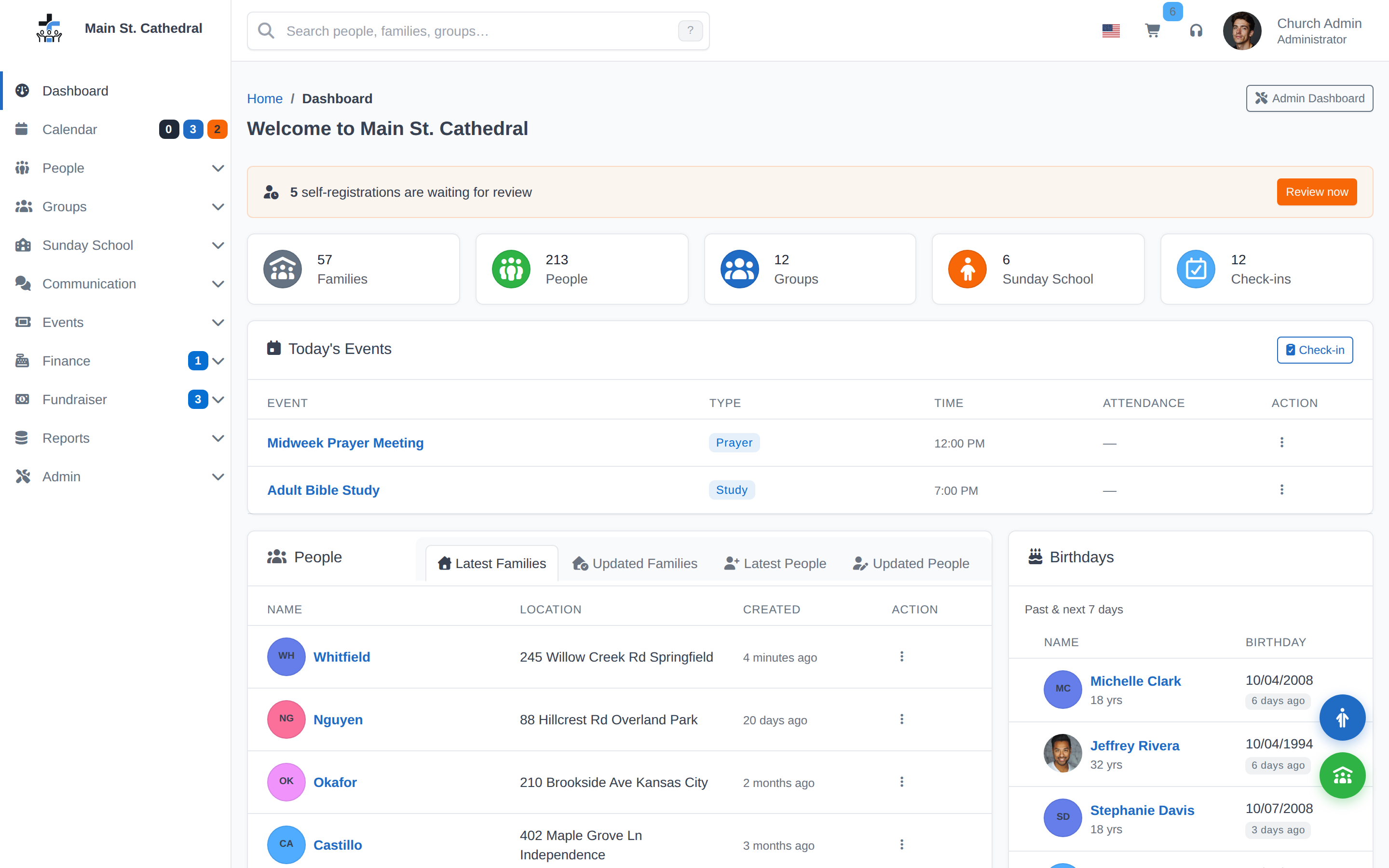
Core Features
- Congregation Management
- Families — Household records with shared contact info, pledge history, and unified family/member profiles.
- Persons — Individual member profiles with contact details, roles, church history, notes, and timeline filters.
- Self Registrations — Visitors can register through an online form. Staff review and approve them before they appear in the printed directory.
- Online Verification — Members can review and confirm their own contact information.
- Notes — Private or shared memos on person and family records, with timeline filtering.
- Properties — Custom labels (e.g. "Homebound", "Choir Member") for people, families, and groups.
- Finances
- Donations — Record contributions and link to family pledge accounts.
- Envelope — Track giving by numbered donation envelopes (setup and usage).
- Deposits — Batch donations into deposit slips with printable bank forms.
- Pledges — Track multi-year giving commitments with a dedicated Pledge Dashboard.
- Events — Create one-time or recurring events, track attendance, manage child check-in/out, and use the unified event editor.
- Groups — Ministry teams, committees, Bible studies, small groups, or any other grouping. Includes kiosk check-in support.
- Sunday School — Specialized group dashboard with roster and attendance tracking.
- Kiosk Check-in — Self-service check-in tablets for any event with a linked group. Parent alerts via email or SMS.
- Calendar — Month, week, day, and list views, plus birthdays, anniversaries, and fundraisers. Click a day to add an event.
- Fundraiser — Manage auctions and fundraising events where members buy and sell items.
- Reports & Queries — Directories, mailing labels, birthday lists, financial statements, and custom queries.
- Volunteers — Track member availability for specific roles and find volunteers for upcoming needs.
- Volunteer Management (v2) — Ministries with teams and positions, schedules that follow the calendar, assignments, substitutions and reminder email (7.8.0, off by default).
- Data Import — Import member records from CSV, including Classification and Family Role columns.
- Export & Data — Export Hub with CSV, ChMeetings format, and database backup — all in one place.
- Backup / Restore — Full database backups with one-click restore.
- Localization — 46 languages, regional grouping, and browser auto-detection.
- User Management — User accounts, role-based access, granular permissions, and 2FA.
- Plugins — Extend ChurchCRM with community and built-in plugins. Install from approved registries.
External Integrations (via Plugins)
| Plugin | Purpose |
|---|---|
| MailChimp | Sync congregation list for newsletters and mass email |
| Vonage SMS | Send SMS parent alerts from kiosk check-out |
| OpenLP | Push member names and attendance counts to worship software |
| Gravatar | Display member photos from Gravatar-linked email addresses |
| Google Analytics | GA4 tracking on authentication pages |
| External Backup | Automated offsite database backup |
| Custom Menu Links | Add custom navigation links to the admin sidebar |
| Holiday Calendar | Optional community plugin adding a holiday event calendar |
All integrations are optional. Enable only the plugins your church needs under Admin → Plugins.
Can't find what you need? Ask in Discord, or open an issue on the ChurchCRM repository.