Geographic Features
ChurchCRM provides:
- Geocoding — Convert street addresses to latitude/longitude
- In-browser maps — Show locations of people and families
- Proximity — Find families that live close to each other
Maps and geocoding work out of the box using OpenStreetMap tiles and free, keyless geocoding services (Nominatim, and optionally the US Census Bureau geocoder for US addresses) — no API key, no billing, and no setup required. If you want background on how it works, how to change the services used, or how to troubleshoot, see Maps & Geocoding.
Geocoding
ChurchCRM stores latitude and longitude with each family for map pins and proximity. Map tiles come from OpenStreetMap. Addresses are looked up with the geocoding services an administrator has chosen under Map Settings on the Family Map — see Geocoding services.
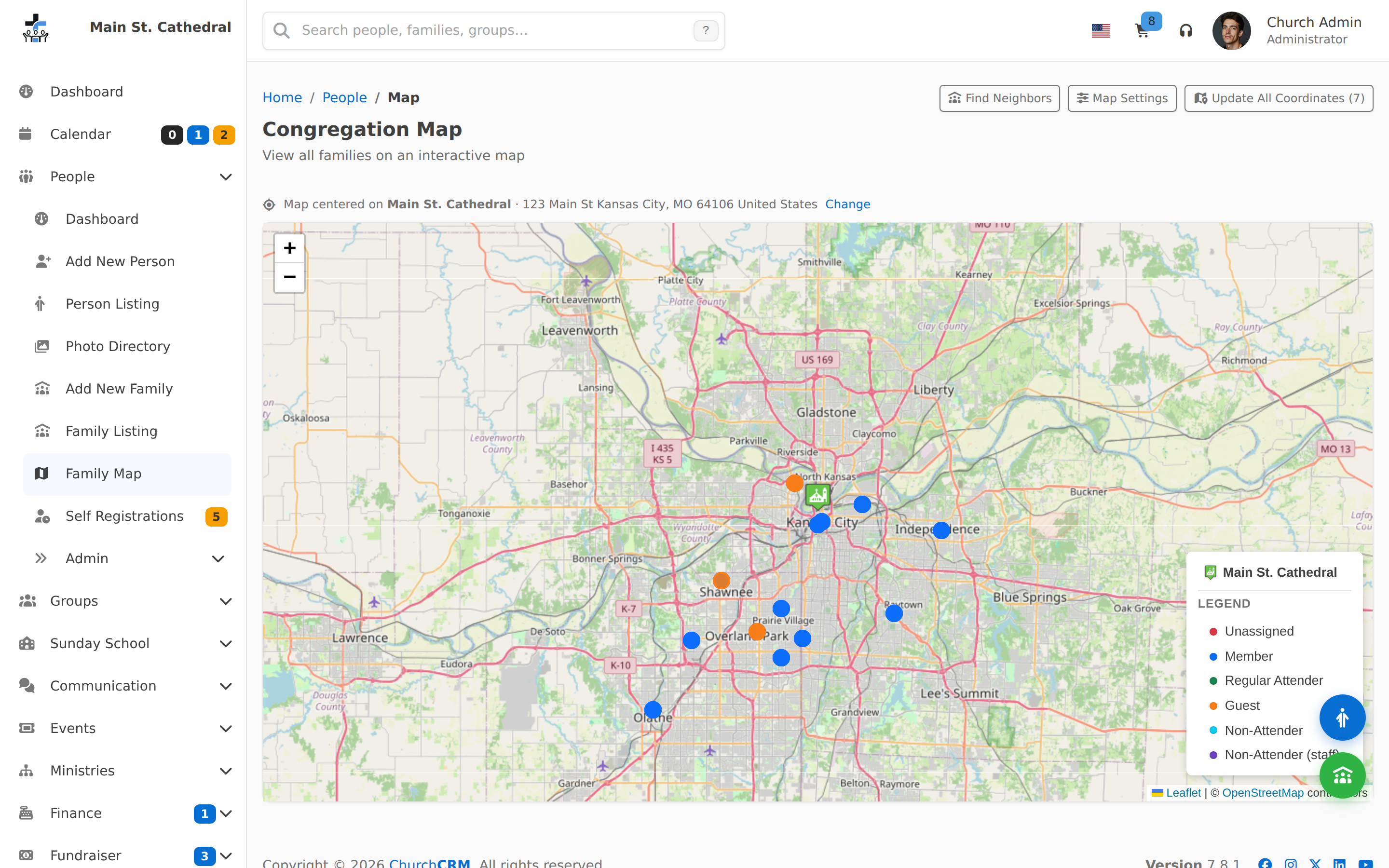
The Family Map does not draw until the church address itself has been geocoded. If it has not, the page says the church address has not been geocoded yet.
Saving a family runs auto-geocode when the address changed and the family still has no coordinates.
Administrators see Update All Coordinates on the map. That finds coordinates for families that are missing them (for example after an import). It runs to completion from one click and reports any addresses it could not place.
In-app maps
From the People area, use Family Map to view family locations by classification. The map uses Leaflet and OpenStreetMap tiles. Only families that have been successfully geocoded will appear as pins.
Finding families that live close together
- Go to People → Family Map.
- Click Find Neighbors (header button on the map page).
- Select a family, then set Maximum number of neighbors and Maximum distance, and optionally filter by classification.
- Click Find Neighbors to see results as map markers and as a results table (distance, direction, family, people).
- Use Add All to Cart / Remove All from Cart to act on the results.
Can't find what you need? Ask in Discord, or open an issue on the ChurchCRM repository.