Plugins
ChurchCRM supports WordPress-style plugins. A plugin adds functionality — a new integration, a new settings page, a cron job, a hook that reacts when a person is created — without editing core code.
There are two kinds of plugins:
- Core plugins ship with ChurchCRM and are maintained by the
ChurchCRM team. They live at
src/plugins/core/inside a ChurchCRM installation and include integrations like MailChimp, Vonage, Google Analytics, Gravatar, OpenLP, External Backup, and Custom Links. - Community plugins are third-party extensions. They live at
src/plugins/community/inside a ChurchCRM installation and are installed at runtime by an admin from the approved list.
All plugin management happens at Admin → Plugins.
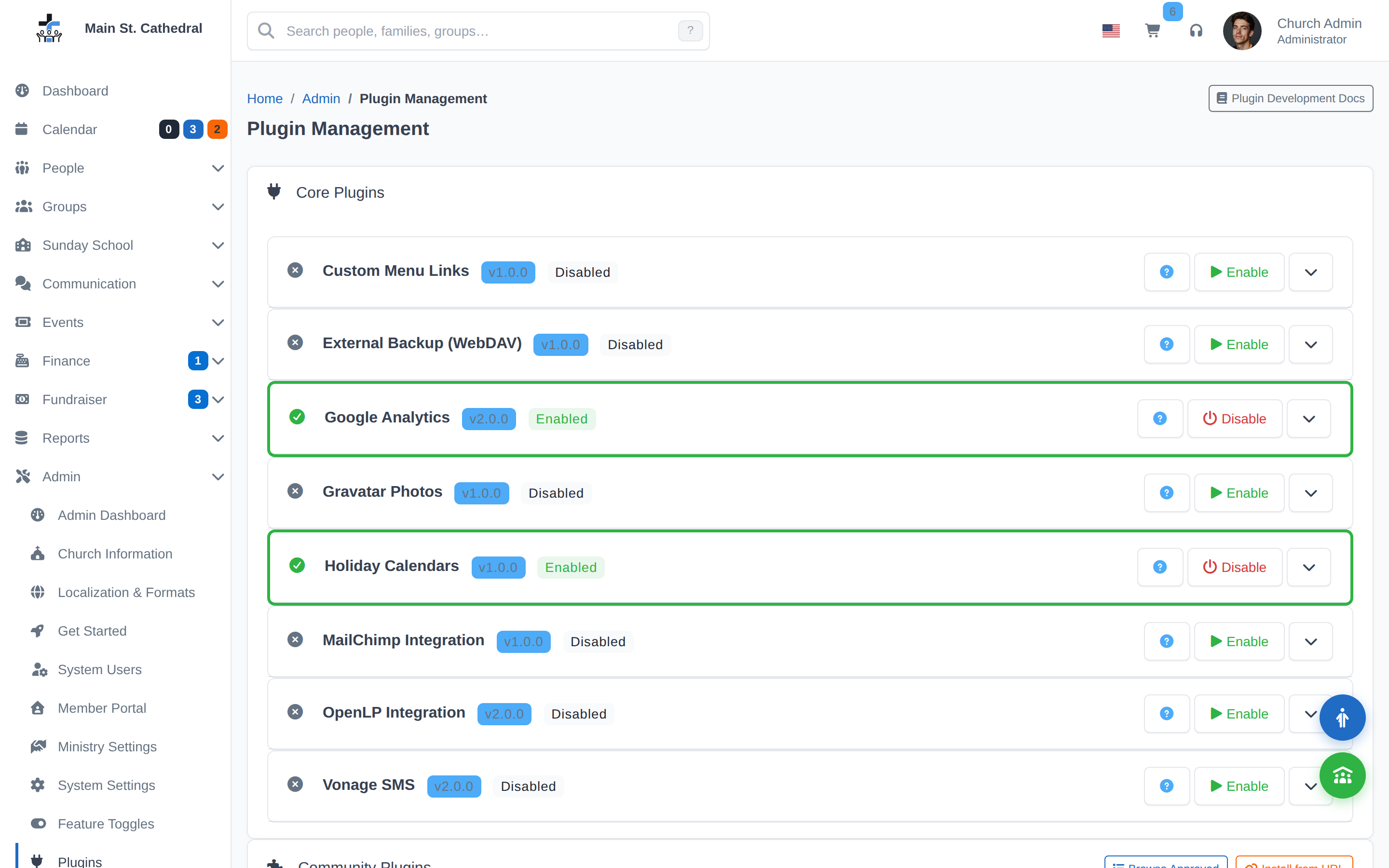
The Admin → Plugins page connects to the approved community plugin registry. Browse available community plugins, read the risk summary, and install with one click — no manual file uploads required.
What plugins can do
Plugins can:
- Add new admin pages and menu items.
- Register routes under
/plugins/{id}/.... - Subscribe to system hooks: person created/updated, family created/updated, menu building, calendar registration, and cron jobs.
- Inject HTML/JS/CSS into core pages.
- Store their own settings (sandboxed to
plugin.{id}.*keys). - Ship their own translations (see Plugin Localization).
Plugins cannot touch another plugin's settings, bypass the admin
auth middleware, write files outside their own directory, or ship
executable payloads like .phar, .sh, or .exe. ChurchCRM's
installer rejects archives that try.
How to install a community plugin
See Installing Community Plugins. The short version: from Admin → Plugins, choose a plugin from the approved list, click Install, review the risk summary, then click Enable when you're ready.
Security & compliance
Community plugins are a supply-chain surface — they run on your server with the same permissions as the ChurchCRM application. Before you install anything, read Plugin Security & Compliance. It covers the risk levels admins see in the install screen, the capability tags approved plugins must declare, and the audit checklist we recommend running every quarter.
For plugin developers
If you want to build a community plugin, start in the ChurchCRM repository's skill files rather than here — they have the canonical technical details:
plugin-create.md— the community plugin quickstart: scaffold, code, run the security scan against your own tree, build a reproducible zip, and open theapproved-plugins.jsonpull request.plugin-development.md— the technical reference, including the full allowed/forbidden capability contract.plugin-security-scan.md— the review checklist every approved community plugin must pass before it enters the registry.
Note: ChurchCRM has a separate
plugin-migration.mdskill, but it applies only to the core plugins shipped insrc/plugins/core/. Community plugin authors do not use it.
Once your plugin is tagged and hosted at an immutable HTTPS URL with a
reproducible SHA-256, open a pull request against
src/plugins/approved-plugins.json in the CRM repo. A ChurchCRM
maintainer will run the security-scan checklist against your zip and
either approve, request changes, or reject.
Can't find what you need? Ask in Discord, or open an issue on the ChurchCRM repository.